
If you want to build anything with artificial intelligence, from a simple prediction model to a chatbot that answers questions from your documents, you will almost certainly write it in Python. Python for AI is the starting point for nearly every machine learning engineer, data scientist and AI developer today. The good news is that Python is one of the easiest programming languages to learn, even if you have never written code before.
This beginner’s roadmap shows you exactly what to learn and in what order: how much Python you really need for AI, how to set up your computer, six learning phases with short code examples, the libraries that matter, a 24-week study plan, beginner-friendly projects, and the latest data on why Python dominates AI.
Key takeaways
- Python is the most widely used language for AI because of its simple syntax and its huge ecosystem of AI libraries.
- You do not need to master all of Python. Core syntax, functions, data structures and a handful of libraries are enough to start building AI projects.
- Learn in this order: Python basics, intermediate Python, NumPy and Pandas, maths with Python, scikit-learn, then PyTorch and LLM tools.
- Most beginners can go from zero to building machine learning projects in about three to six months with regular practice.
Table of contents
- Why Python is the language of AI
- Latest stats on Python and AI
- How much Python do you need for AI?
- Setting up Python for AI
- The Python for AI roadmap: 6 phases
- Essential Python libraries for AI and ML
- A 24-week study plan
- Beginner Python AI projects
- How to practise effectively
- Common beginner mistakes
- Careers you can reach with Python for AI
- Free resources to practise Python for AI
- Frequently asked questions
Why Python is the language of AI
Python was not designed specifically for AI, but it has become the default language for it. Here is why:
- Readable, beginner-friendly syntax: Python code reads almost like English, so you spend your energy on AI concepts rather than fighting the language.
- A huge library ecosystem: NumPy, Pandas, scikit-learn, PyTorch, TensorFlow, Hugging Face Transformers and LangChain are all Python-first. Most new AI research code is released in Python.
- Fast where it matters: Python itself is not the fastest language, but AI libraries run their heavy maths in optimised C, C++ and GPU code underneath. You get Python’s simplicity with near-native speed.
- Notebooks for experimentation: Jupyter notebooks let you run code step by step, see charts instantly and document your thinking, which suits the experimental nature of AI work.
- A massive community: whatever error you hit, someone has almost certainly solved it and shared the answer online.
- One language from data to deployment: you can clean data, train models, build an API and create a simple web app all in Python.
Latest stats on Python and AI
Python’s growth is closely tied to the rise of AI. These recent figures show how strong that link has become:
| Statistic | Source |
|---|---|
| In 2024, Python overtook JavaScript as the most popular language on GitHub | GitHub Octoverse 2024 |
| Usage of Jupyter Notebooks on GitHub rose 92% in a year, reflecting the surge in data science and machine learning | GitHub Octoverse 2024 |
| Contributions to generative AI projects on GitHub grew 59%, and the number of generative AI projects grew 98% | GitHub Octoverse 2024 |
| India is expected to have the world’s largest developer population on GitHub by 2028 | GitHub Octoverse 2024 |
| Python’s adoption rose 7 percentage points from 2024 to 2025, described as the go-to language for AI, data science and back-end development | Stack Overflow Developer Survey 2025 |
| 78% of organisations reported using AI in 2024, up from 55% the year before | Stanford HAI, AI Index Report 2025 |
| Technology skills in AI and big data are expected to see the fastest growth in demand by 2030 | World Economic Forum, Future of Jobs Report 2025 |
In short, AI is pulling more developers to Python than ever, and India is one of the fastest-growing developer communities in the world. Learning Python for AI now puts you in a large and growing talent pool, so the skills that set you apart are the projects you build with it.
How much Python do you need for AI?
Less than you might think. You do not need to become a Python expert before you touch AI. You need a solid working knowledge of the core language and comfort with a few libraries. Here is a practical split:
| You need this for AI | You can skip this at first |
|---|---|
| Variables, data types, operators | Advanced metaprogramming and decorators you write yourself |
| Lists, dictionaries, tuples, sets | Writing your own data structures from scratch |
| Loops, conditions, comprehensions | Multithreading and low-level concurrency |
| Functions, arguments, return values | Building Python packages for distribution |
| Basic classes and objects | Advanced design patterns |
| Reading files and handling errors | GUI programming with Tkinter or similar |
| Installing packages and virtual environments | Web frameworks such as Django (until you need them) |
| NumPy, Pandas, Matplotlib | Every possible library; learn others as projects require |
A useful test: if you can load a CSV file, clean and filter the data, write a function to transform it, and plot the result, you know enough Python to start machine learning. Everything else you can pick up along the way.
Setting up Python for AI
You have three good options. Pick one and start; do not spend days choosing.
- Google Colab (easiest): runs Python notebooks in your browser with nothing to install, and offers limited free GPU access, which is handy for deep learning later.
- Anaconda: installs Python, Jupyter and the main data science libraries together on your own computer.
- Python + VS Code: install Python from python.org and the free VS Code editor with its Python and Jupyter extensions. This is closest to how professional developers work.
If you install locally, learn to create a virtual environment for each project so that library versions do not clash:
python -m venv ai-env
# Windows
ai-env\Scripts\activate
# macOS / Linux
source ai-env/bin/activate

pip install numpy pandas matplotlib scikit-learn jupyter
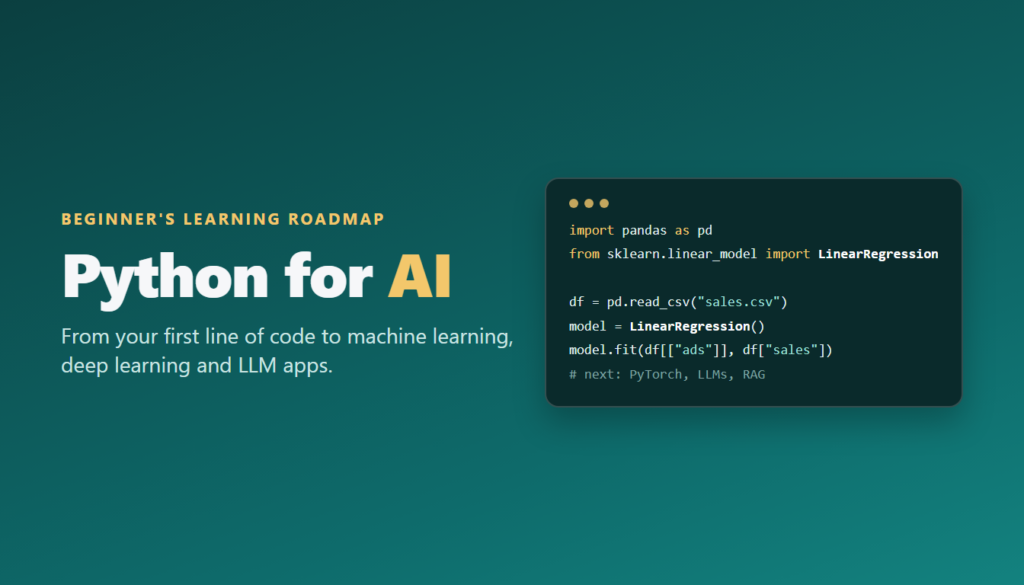
The Python for AI roadmap: 6 phases
Phase 1: Python fundamentals (weeks 1–4)
Start with the building blocks: printing output, variables, numbers and strings, lists and dictionaries, conditions with if, loops with for and while, and functions. Write small programs every day, such as a marks calculator, a word counter or a simple quiz. By the end of this phase you should be able to read and write short scripts without copying from tutorials.
marks = {"Asha": 82, "Ravi": 67, "Meera": 91}

def grade(score):
    if score >= 85:
        return "A"
    elif score >= 70:
        return "B"
    return "C"

for name, score in marks.items():
    print(name, score, grade(score))
Phase 2: Intermediate Python (weeks 5–7)
Now learn the features you will meet constantly in AI code: list and dictionary comprehensions, *args and **kwargs, lambda functions, basic classes and objects (AI libraries are built around them, such as model.fit()), reading and writing files, handling errors with try and except, working with JSON, and calling web APIs with the requests library. Also learn Git and GitHub so you can save and share your work.
Phase 3: Data handling with NumPy, Pandas and Matplotlib (weeks 8–11)
This is where Python becomes Python for AI. NumPy gives you fast arrays and maths, the foundation of every AI library. Pandas lets you load, clean, filter, group and join tables of data. Matplotlib and Seaborn turn data into charts so you can spot patterns. Practise on real datasets from Kaggle or government open-data portals.
import pandas as pd
import matplotlib.pyplot as plt

df = pd.read_csv("sales.csv")
df = df.dropna()                               # remove missing rows
monthly = df.groupby("month")["revenue"].sum()  # total per month

monthly.plot(kind="bar", title="Revenue by month")
plt.show()
If you already work with Excel, SQL or Power BI, this phase will feel familiar; our post on the best order to learn Excel, SQL, Python and Power BI explains how these skills connect.
Phase 4: Maths for AI, with Python (weeks 12–14)
Use Python to learn the maths, rather than learning maths on paper first. Represent vectors and matrices as NumPy arrays and multiply them. Calculate mean, median, variance and correlation with Pandas. Simulate probability with random numbers. Plot a simple function and watch gradient descent move towards its minimum. Seeing the maths in code makes it far easier to understand, and it is exactly how machine learning libraries work inside.
Phase 5: Machine learning with scikit-learn (weeks 15–19)
scikit-learn is the standard library for classic machine learning, and its consistent fit and predict pattern makes it ideal for beginners. Learn to split data into training and test sets, train models, measure accuracy, and avoid overfitting. Our guides to linear regression, logistic regression and KNN explain the algorithms you will use first.
from sklearn.model_selection import train_test_split
from sklearn.ensemble import RandomForestClassifier
from sklearn.metrics import accuracy_score

X = df[["age", "monthly_bill", "tenure_months"]]
y = df["churned"]

X_train, X_test, y_train, y_test = train_test_split(X, y, test_size=0.2, random_state=42)

model = RandomForestClassifier()
model.fit(X_train, y_train)
print("Accuracy:", accuracy_score(y_test, model.predict(X_test)))
Phase 6: Deep learning and generative AI (weeks 20–24 and beyond)
With a solid foundation, move to PyTorch (or TensorFlow/Keras) to build neural networks, and to Hugging Face Transformers to use pre-trained models for text and images. Then learn to call large language model APIs from Python, write prompts that return structured output, and build retrieval-augmented generation (RAG) chatbots with libraries such as LangChain or LlamaIndex. Finally, wrap your work in a simple app with Streamlit or an API with FastAPI. If you are unsure how these fields relate, read AI vs machine learning vs deep learning first.
Essential Python libraries for AI and ML
| Library | What it does | When to learn it |
|---|---|---|
| NumPy | Fast arrays and numerical maths | Phase 3 |
| Pandas | Loading, cleaning and analysing tabular data | Phase 3 |
| Matplotlib / Seaborn | Charts and data visualisation | Phase 3 |
| scikit-learn | Classic machine learning: regression, classification, clustering | Phase 5 |
| XGBoost / LightGBM | High-accuracy gradient boosting for tabular data | Phase 5 |
| PyTorch | Building and training neural networks | Phase 6 |
| TensorFlow / Keras | Alternative deep learning framework | Phase 6 (optional) |
| Hugging Face Transformers | Pre-trained models for text, images and audio | Phase 6 |
| OpenCV | Image and video processing | Phase 6 (for vision projects) |
| LangChain / LlamaIndex | Building LLM apps, RAG and agents | Phase 6 |
| Streamlit / FastAPI | Turning models into web apps and APIs | Phase 6 |
Do not try to learn all of these at once. Master NumPy, Pandas and scikit-learn first; the rest become much easier once those feel natural.
A 24-week study plan
This plan assumes about 8 to 10 hours of study a week. If you have more time, move faster; if you have less, stretch each phase rather than skipping any.
| Weeks | Focus | Milestone |
|---|---|---|
| 1–4 | Python fundamentals | Write small scripts confidently without copying |
| 5–7 | Intermediate Python, Git, APIs | A script that fetches API data and saves it to a file, pushed to GitHub |
| 8–11 | NumPy, Pandas, Matplotlib | A full exploratory analysis of a real dataset with charts |
| 12–14 | Maths and statistics with Python | Notebooks that explain key concepts with code |
| 15–19 | Machine learning with scikit-learn | Two end-to-end ML projects with evaluation |
| 20–24 | PyTorch, Hugging Face, LLM APIs | A small neural network and a simple LLM-powered app |
After week 24, continue with RAG, AI agents and deployment. Our guide on how to become an AI engineer picks up exactly where this plan ends.
Beginner Python AI projects
Projects turn knowledge into skill and give you something to show employers. Build these in order of difficulty:
- Expense analyser (Phase 3): load your own or sample expense data with Pandas, categorise spending and chart it by month.
- House price predictor (Phase 5): train a regression model on property data and show which features affect price most.
- Spam or sentiment classifier (Phase 5): classify messages or product reviews as positive or negative using text features.
- Customer churn model (Phase 5): predict which customers are likely to leave and explain why.
- Image classifier (Phase 6): use transfer learning with a pre-trained model in PyTorch to recognise categories of images.
- PDF question-answering chatbot (Phase 6): build a simple RAG app with an LLM API and a Streamlit interface.
Put each project on GitHub with a clear README explaining the problem, your approach, results and what you would improve.
How to practise effectively
- Code every day, even for 30 minutes. Consistency beats occasional long sessions.
- Type, do not copy. Retyping examples and changing them is how syntax sticks.
- Use AI assistants wisely. Ask them to explain errors and concepts, but write the solution yourself first. If AI writes all your code, you will not learn to debug.
- Solve small problems on practice sites to build fluency with loops, strings and data structures.
- Read other people’s notebooks on Kaggle to see how experienced practitioners clean data and build models.
- Learn with others. A study group or a structured course with a mentor keeps you accountable and gets you unstuck faster.
Common beginner mistakes
- Trying to learn “all of Python” first. Learn what AI needs, then start building.
- Jumping straight to deep learning. Without Pandas and scikit-learn skills, deep learning code will feel like magic you cannot fix.
- Watching tutorials without coding. Aim to spend at least half your study time writing code.
- Ignoring errors. Read error messages carefully; they usually tell you exactly what went wrong.
- Skipping virtual environments and Git. These habits save hours of frustration as projects grow.
- Keeping projects private. Share them on GitHub and LinkedIn; visible work creates opportunities.
Careers you can reach with Python for AI
Python for AI is not one job; it is the shared foundation of several career paths. Where you go depends on which parts of the roadmap you enjoy most and how far you take them:
| Role | How you use Python | Roadmap phases to focus on |
|---|---|---|
| Data Analyst | Cleaning, analysing and visualising business data, often alongside SQL and Power BI | Phases 1–3 |
| Data Scientist | Statistics, experiments and predictive models that answer business questions | Phases 1–5 |
| Machine Learning Engineer | Training, tuning and deploying ML models in production systems | Phases 1–5, plus deployment |
| AI Engineer | Building LLM-powered apps, RAG chatbots and AI agents | All six phases |
| Computer Vision or NLP Engineer | Deep learning for images, video, speech or text | Phases 1–6, specialising in Phase 6 |
| Automation Developer | Scripts and AI tools that automate repetitive office and data work | Phases 1–2, plus LLM APIs |
Many people start in an analyst or automation role, where Python skills pay off quickly, and move towards data science or AI engineering as their projects grow. If analysis appeals to you, look at our Data Analytics course or Data Science course. If building AI products is the goal, our guide on how to become an AI engineer maps out the full path.
Free resources to practise Python for AI
You do not need expensive tools to start. These free resources cover every phase of the roadmap:
- The official Python tutorial at python.org: a clear, reliable introduction to the core language for Phases 1 and 2.
- Google Colab: free browser-based notebooks, with limited free GPU time for deep learning experiments.
- Kaggle: thousands of free datasets, short courses on Pandas and machine learning, and public notebooks you can learn from.
- scikit-learn and PyTorch documentation: both include beginner tutorials with runnable examples for Phases 5 and 6.
- Hugging Face: free pre-trained models, datasets and a beginner-friendly course on transformers.
- GitHub: free hosting for your projects, which doubles as your public portfolio.
- Government open-data portals: India’s data.gov.in offers real public datasets on agriculture, health, transport and more, ideal for original projects.
Free resources work best with a plan and some accountability. Pick one resource per phase, follow the 24-week plan above, and share your progress publicly so that others can give you feedback.
Frequently asked questions
Is Python good for AI?
Yes. Python is the most widely used language for AI and machine learning because of its simple syntax and its large ecosystem of libraries such as NumPy, Pandas, scikit-learn, PyTorch and Hugging Face.
How long does it take to learn Python for AI?
With 8 to 10 hours of study a week, most beginners can learn enough Python and machine learning to build projects in about three to six months.
How much Python is required for AI and ML?
You need core syntax, data structures, functions, basic classes, file handling and error handling, plus NumPy, Pandas and Matplotlib. Advanced topics can wait until a project needs them.
Can I learn Python for AI with no coding experience?
Yes. Python is one of the most beginner-friendly languages. Start with fundamentals, practise daily, and follow the phases in order.
Which Python libraries should I learn first for AI?
Start with NumPy, Pandas and Matplotlib for data, then scikit-learn for machine learning. Move to PyTorch and Hugging Face Transformers for deep learning and generative AI.
Do I need to learn maths before Python for AI?
No. Learn Python first, then learn the maths for AI using Python. Coding the concepts makes linear algebra, probability and statistics much easier to understand.
Is Python enough to get an AI job?
Python is essential but not enough on its own. You also need machine learning knowledge, a portfolio of projects and, for many roles, skills in SQL, deployment and LLM tools.
Conclusion: start your Python for AI journey
Learning Python for AI is a marathon of small steps, not a sprint. Start with the fundamentals, move steadily through data handling, maths and machine learning, and then explore deep learning and generative AI. Build a project at every phase, share your work, and within six months you can go from your first line of code to your first working AI application.
If you would like a structured path with a trainer and live projects, explore Gauri AI’s Python programming course for the foundations, or the six-month AI and Machine Learning course that takes you from Python basics to LLM apps, in Jaipur or live online. You can also talk to a course advisor.
Pingback: 10 Machine Learning Projects for Students (Python) | Gauri AI
Pingback: Build a RAG Chatbot with Python and LangChain | Gauri AI